
In this post I explain how date and time management works on an AIX, VIOS, and IBMi LPARs. Setting the time is usually one-time operation, we often take it for granted, as long as everything works well. However, when issues arise, it can become quite puzzling. Information in this post may be particularly useful for those who use Full System Replication or FlashCopy solution.
At the beginning, I want to emphasize that all the knowledge presented in this post is based on my own observations. My extensive experience and multiple experiments have proven the underlying logic. This knowledge is useful for anyone managing solutions such as Full System FlashCopy (FSFC) or Full System Replication (FSR). In these setups, the LPARs are typically powered off and activated only for short, specific periods. Another scenario where this mechanism may impact an administrator is during a hardware failure, when a Flexible Service Processor needs to be replaced or reset.
We all know that maintaining the correct date and time is crucial for the proper and efficient management of the system. This is not only about the time in the operating system or an application but also about the entire infrastructure surrounding it. FSP, HMC, VIOS, and an OS, all these elements run with its own time setup, and the good practice is to run it synchronized. Otherwise, any troubleshooting and diggings in logs might be a nightmare. In AIX, the date can be adjusted using the date command, while in IBM i, it is a System Value that should be set as one of the very first items after the OS installation.
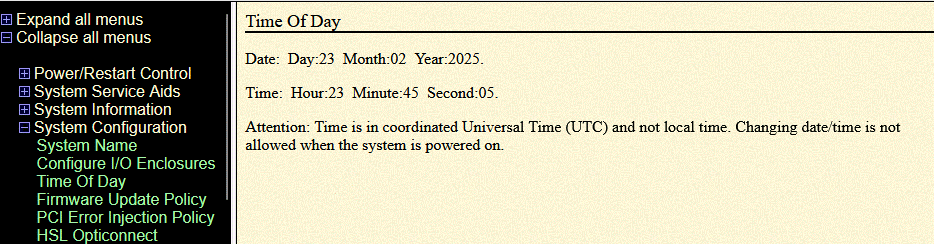
Have you ever wondered how the operating system knows what time it is if the LPAR has been down for a few days? Each POWER System is equipped with a Flexible Service Processor (FSP), which functions similarly to the BIOS in standard PCs. The FSP maintains a clock that can only be set when the entire POWER Server is powered off, with no active LPARs. The FSP clock can be set in Advanced System Management Interface (ASMI).
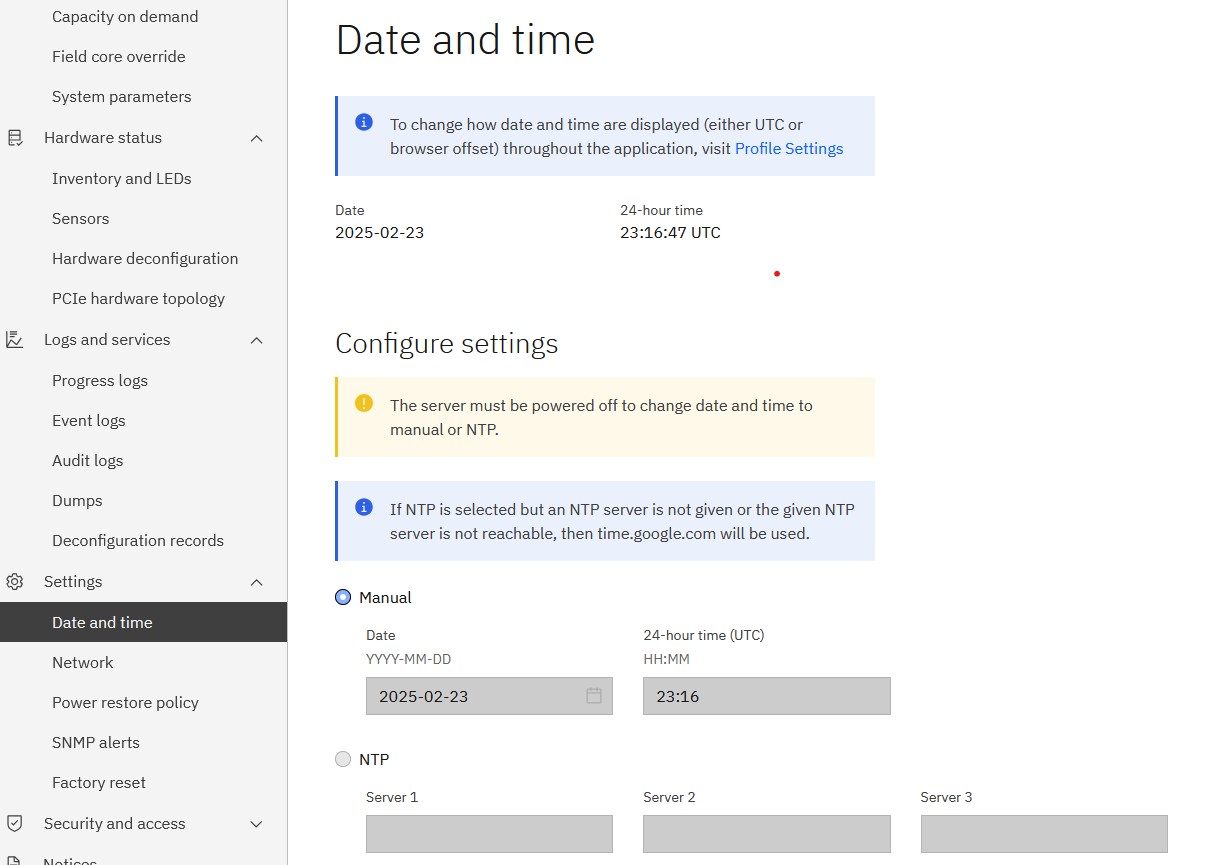
In modern systems where BMC installed, Date and time can be automatically synchronized with NTP protocol.
Flexible Server Processor stores a time offset for each LPAR
So, we know that the FSP maintains a clock that is always available. Whenever a new LPAR is created, an offset is stored in NVRAM on the FSP for this particular LPAR.
Let me illustrate this with an example: If the current time is February 24, 2025, at 00:01 UTC, and the LPAR is set in Central European Time (CET) while leaving the date and time unchanged, the OS display 01:01 AM. However, if the time is modified in the FSP for any reason, the date and time will change on every LPAR operating on this machine. Why? – Because the offset stay the same for every LPAR and the “source” of the time has changed.
Another example: If LPAR 1, which has an installed operating system, is running on a server and is powered off, then creating LPAR 2 with the same disks and a copy of the OS does not guarantee that LPAR 2 will start with the same date and time settings. Why? – Because, LPAR2 may run with different offset.
Ok, so how does it all may affect FSFC or FSR configuration?
Full System Flash Copy is a solution where a FSFC LPAR is activated only for short time when the backup is offloaded to a media. Once the process is completed, the LPAR is powered off and flashcopy volumes are destroyed. It happened to me few times, that the backups logs completely did not match the reality. BRMS log shown backup taken between 06:00-09:00 but the backup was initiated at 10:00, and the same pattern was repeating every day. The solution is to IPL the LPAR in manual mode, to the controlling screen where an user need to confirm/adjust the current date and time. It is enough to set the correct time and power off the LPAR. From now on, all further backups will be made with the correct time stamp.
Full System Replication is a solution where a DR LPAR is permanently powered off, and activated only during fail-over. In FSR solution the operating system is a binary copy of the production LPAR, so the expectation is that everything will be same as on prod. We may encounter a situation where the DR LPAR has never been activated, because we have never conducted a real fail-over. It is recommended to perform at least one fail-over, or boot the LPAR in manual mode on the DR machine in order to set the proper offset in the FSP LPAR configuration. Doing this we will avoid any potential problems with date & time.
 IBMi.org - Bart's blog